What’s new
Every improvement we ship to help you find down-payment help — the big launches and the small fixes, newest first.
An agency that runs a down payment assistance program can now claim it and keep its page up to date itself. Terms go in as a fact sheet, one section at a time, with autosave and one Publish button. Upload the program guide and the fact sheet fills in, with every value showing which page it came from. When the office publishes, the public page changes with it.
A sponsor that funds homeownership for its residents now has a staff portal, from the first application to years after closing: a funnel, applicants, roster matching, team seats and reports on its own fiscal year that hide small groups. After closing it keeps track of what the homeowner agreed to, with a welcome notice and reminder letters by mail in thirteen languages.
If your housing authority or city sponsors you, you use the regular Hey Prescott app on the web and your phone. The sponsor's application is merged into the wizard as one form, so a question you'd have answered twice is asked once, and your answer still counts for every other program you might be eligible for.
Client tasks with reminders, note and message templates, texts to clients who agreed to get them, case types and staff roles the agency defines, certification records, a report library, grant tracking, document review and video sessions. For a homeowner behind on their mortgage, a counselor can prepare a loss mitigation packet for the homeowner to review and sign.
Every public /dpa page was rebuilt around what is specific to the place: local Census market context, a neighboring city's program under its own city, the published income table for each household size, and an Ask the office button on programs an office has claimed. A closed program's page stays up, marked Closed.
Every homebuyer's plan now ends with a Post purchase screen: what to keep doing after closing day.
Browse and Saved are now one Programs tab with an All | Saved switch, and the Saved count updates the moment you save a program.
The wizard and a sponsor's application work in all thirteen languages we offer forms in, behind a globe picker. Arabic reads right to left.
The wizard's money ranges have From and To boxes as well as the slider.
A Learn manager can open a teammate's practice conversation and leave coaching notes the rep can see, and can move a departing member's seat to a new teammate, who starts fresh while the previous member keeps their certificates.
Entering a city no longer drops statewide programs from your results.
When a program changes, its public page refreshes right away, and each program keeps its own apply link.
A sponsor's message sent after a homebuyer's hours goes out the next morning, once.
When someone leaves the team, their Learn seat no longer goes to waste. A manager can move it to a teammate, who starts with a clean slate, while the person who left keeps the certificates they earned.
Finding programs and keeping track of the ones you like now happen in the same place. Browse and Saved are one Programs tab with an All | Saved switch, the saved count updates as soon as you save, and the bar along the bottom reads Home, Programs, Plan, Savings and Inbox.
When an office keeps its program up to date, the public page now shows it: how to reach the office, the income limits it publishes for each household size, and a badge saying whether the program is open. A closed program's page stays up, marked Closed, with the reason the office gave.
Program offices can now see how often homebuyers view their program pages and start an application, with downloadable reports for their own records and funders. The numbers are counts only and never say who.
Listing every ZIP code a program covers is slow. Offices can now click a county on a map to add it whole, click again to choose its cities, and set up named target areas, with checks that keep areas and limits consistent.
Most offices already have their terms written down in a guide or a PDF. They can now upload those documents and Hey Prescott fills the fact sheet from them, showing what it found, what is missing and where each value came from. The office reviews every change before anything is published.
The public assistance directory was rebuilt page by page. City, county and state pages now open with public Census market context for the place, and a neighboring city's program is listed under that city. New and rebuilt pages cover nationwide programs, income limits, situations such as veterans, loan types and common questions.
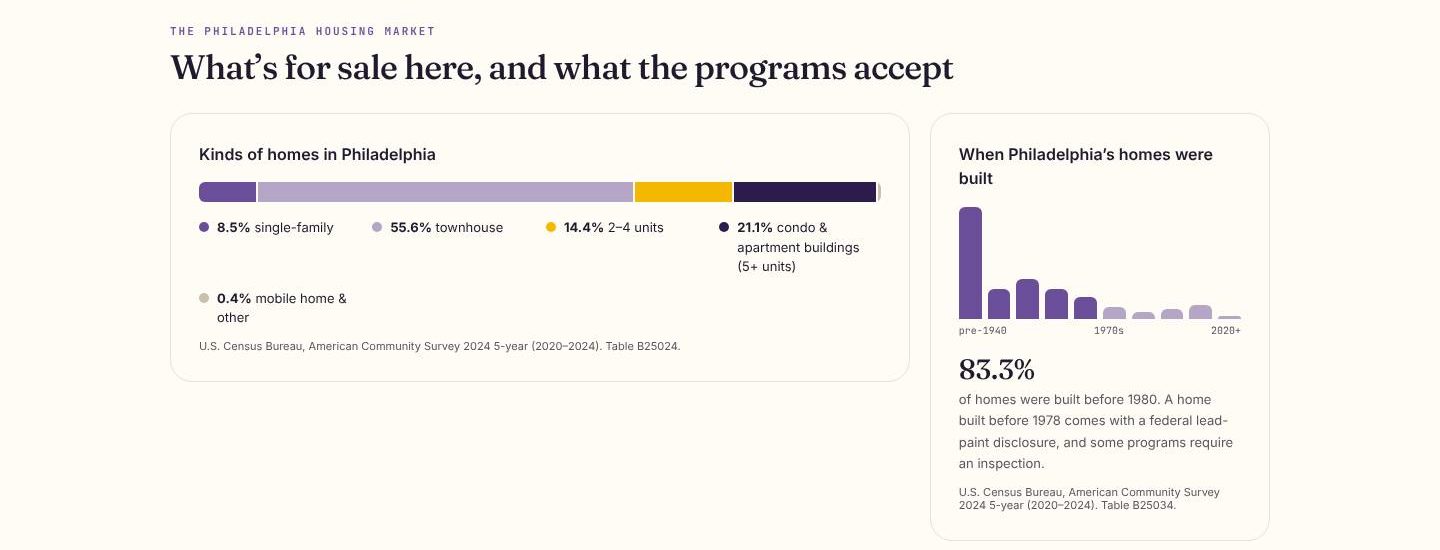
The page as it looks today.
Some questions only the program office can answer. On programs an office has claimed, the public program page now has an Ask the office form. The office answers in its portal, and the reply arrives in your Hey Prescott account, screened before it is sent.
An office can now put its public documents, upcoming events and contact details on each program's page, and keep its own lists of participating lenders and counselors. Flyers an office uploads reach homebuyers once our team has reviewed them.
Typing an income table by hand invites mistakes. Offices can now start from HUD's published income limits for their area, by household size, and confirm them before they go live. We never confirm the figures on an office's behalf.
Instead of a block of free text, an office now describes its program as a fact sheet: who it serves, where, the amount, the home, the loan and the dates. Each section saves as you go, and one Publish button sends the update live. Every word is screened for wording that could mislead a homebuyer before it reaches the public page.
State and local agencies that run down payment assistance can now claim their programs in Hey Prescott and manage them from their own portal, with a home screen, programs, office profile and team. An office can also add a program that is not in our catalog yet; it stays hidden until our team reviews its first publish.
Sponsors report to boards and funders on their own calendar, so now every report does too. Set the fiscal year once and the board report, obligations, equity and funder views all follow it. Small groups are hidden so no resident can be singled out, and filing exports are logged.
Cities and counties that fund their own assistance can now sponsor homebuyers in Hey Prescott. Instead of a roster, a homebuyer answers four short questions, and every program still shows, whatever the answers. Income figures come only from what each program publishes, and a counselor confirms the details.
More homebuyers can now find assistance in the language they think in. The wizard runs in all thirteen of our form languages, chosen from a globe picker on every screen, and Arabic reads right to left the way it should.

The wizard in Arabic, as it looks today.
Learn's generated courses now read each program's own published terms instead of generic wording, so a course says what that program says. There is also a new course on homeownership through the Housing Choice Voucher program.
When a homeowner closes, the sponsor can now send a welcome notice. For homeowners who are easier to reach by mail, sponsors can print reminder letters in any of thirteen languages. Each letter carries only a short reminder and a phone number, never figures or deadlines.
Program managers need to know how much money is left before they promise more. Sponsors can now track funding against their budget, broken out by program, from the same portal they use for applicants and closings.
For homeowners who are behind on their mortgage, a counselor can now prepare a loss mitigation packet that the homeowner reviews and signs, with a co-signer if needed. With the homeowner's written permission, the counselor can open a case channel with the mortgage servicer and download the case as a HOPE LoanPortal file.
Three everyday tasks now happen inside the client file. Counselors can hold video sessions on their own meeting link, with a call-me-instead option for clients who prefer the phone. They can accept a client's document or ask for a clearer copy, and agencies can track the grants that fund their work.
Agency leads can now run casework reports from one library instead of building spreadsheets by hand. Reports download as files, and small groups are hidden so no individual client can be picked out of the numbers.
Agency leads can now build staff roles that match how their office works, choosing exactly which permissions each role carries, with a guard so the last person who can edit roles is never locked out. Training and HUD certification records live beside each staff member, with a badge that shows who is certified.
Every agency runs its caseload a little differently. Agencies can now set their own case types and the statuses each one moves through. Homebuyers see where their case stands in plain words, so they know what is happening without calling to ask.
Counselors asked for help with the follow-up that fills their day. They can now give a client tasks with due dates, and Hey Prescott sends a reminder on the day. Note and message templates fill in the client's details, and a message with an unfilled blank is held instead of sent.
You decide how your sponsor reaches you. A new section in Settings lets you pick channels and pause messages for two weeks, and the sponsor's notices now land in your Inbox under its mark. Texts and calls sent late in the day wait until your morning.
Buying the home is a milestone, not the finish line. Every homebuyer's plan now ends with a Post purchase screen that lists what to keep doing after closing, such as keeping records and meeting any program terms. Steps that come from a sponsor are tagged so you know where they came from.
Homebuyers with a sponsor used to face two sets of questions. The sponsor's application is now part of the wizard, on the web and on the phone: a question both ask comes up once, and your answer still counts when you explore other programs. You can also ask for a housing counselor and keep a signed copy of what you sent.
If a housing authority or city sponsors your home search, you keep using the Hey Prescott app you already know. Your sponsor's mark and programs now appear on Home and in Programs, next to everything else you can explore. There is no second login and no separate portal to learn.
A sponsor's work does not end at closing. Staff now have screens for each homeowner's post-purchase obligations and for outreach after closing, with a message library, delivery log and calls. Texts go only to homeowners who agreed to them, and messages wait for the homeowner's own daytime hours.
Organizations weighing Hey Prescott can now see it the way their own people would. A branded demo link opens on a welcome from Prescott, then walks through the homebuyer, program manager, HUD counselor and reports views, with guide cards pointing at what is on screen. Every person and household in a demo is invented.
A housing authority that funds homeownership for its residents can now run that program in Hey Prescott. Staff get a dashboard with funnel counts, an applicant list, a verification queue, and a resident roster that matches people without storing their details in the clear. Seats for each staff role control who sees what, and reports export as spreadsheets or CSV.
Practice is more useful with feedback. A Learn manager can now open a teammate's finished roleplay, read what was said, and leave coaching notes. Every note shows on the rep's own scorecard, so nothing is said behind anyone's back, and the rep is notified when a note arrives.
Managers asked to see what their team is working on without taking over a conversation. A brokerage manager can now open a teammate's lead in a read-only view, and every lead's web address is short and readable, so it is easy to share inside the team.
Sliders are fine for a rough guess, but fiddly when you know your number. Every money question in the wizard now has From and To boxes above the slider, so you can type an exact figure or drag, whichever is easier. The two stay in sync, and a range entered backwards is sorted out for you.
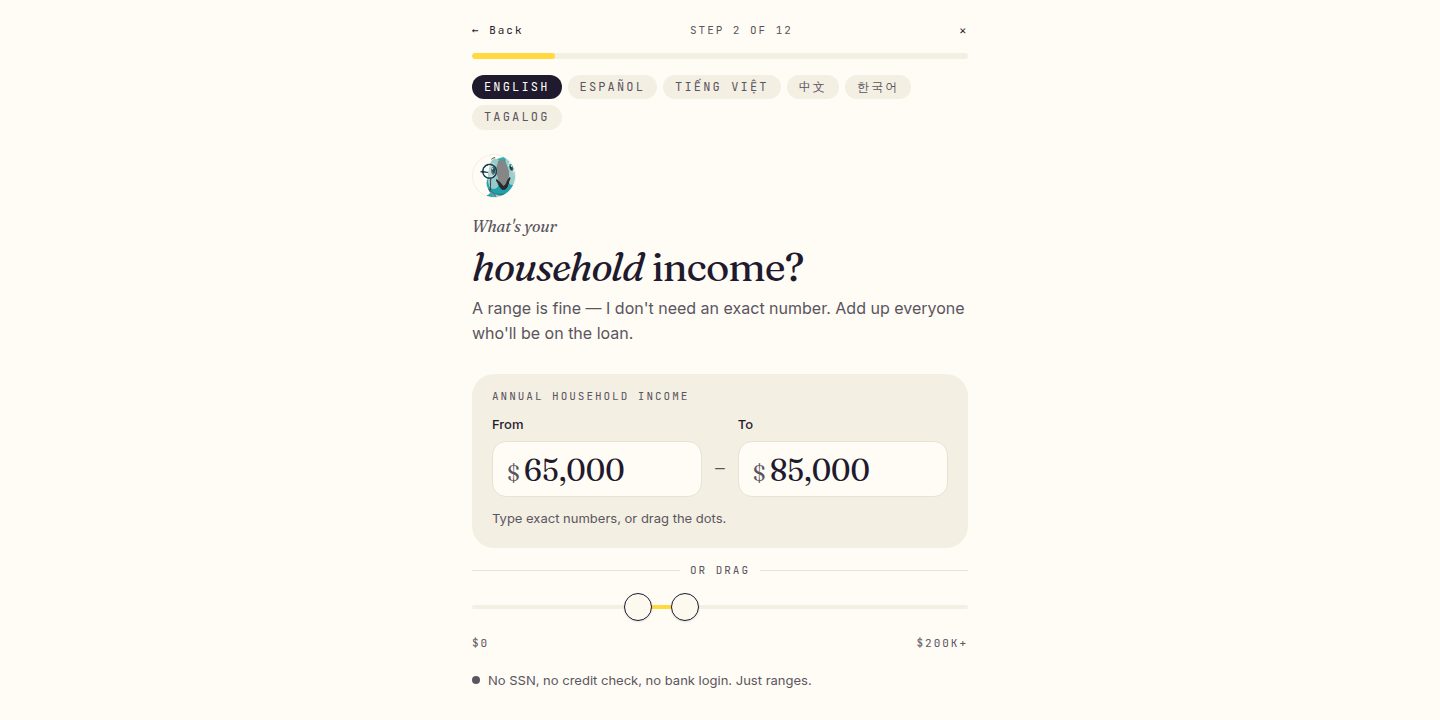
The shipped screen, captured at launch.
Your plan now covers the whole road to your move-in month, not just 90 days. It opens on what to do this week, and Plan has its own place in the navigation.
Set goals and the plan works out the targets along the way. Readiness counts what you've actually done, and program steps name the programs they're for and link to them.
Hey Prescott Learn is now a standalone product. A team that comes to Hey Prescott for training can sign up at its own front door and start a trial without entering a card.
Learn also works inside every Hey Prescott portal, so teams that already use the platform reach the same courses from where they work.
Pros can now rehearse real conversations with a simulated homebuyer and get scored feedback when they finish. Realtors get their own library of scenarios.
Every pro account starts with a 30-day trial, and a public page explains how roleplay works.
Homebuyers can now ask for an introduction to a realtor or a loan officer, from their results, from Home or by asking Prescott in chat. Hey Prescott puts together a shortlist, and the homebuyer chooses who is allowed to contact them.
Each pro chosen is asked to reach out within two business days, and the homebuyer can say whether they were contacted or stop a pro at any time.
Finding programs on the web now asks one short question per screen. The first run shows results before you make an account, and Save your spot keeps them for you.
After you sign up, a second short run unlocks more programs, and your dashboard opens on what you said you wanted to do.
Programs now come with short courses for homebuyers that walk through how the program works, in plain language. Every figure in a course comes from the program's published record, and each course is checked before anyone sees it.
Courses show tables straight from the program record, include a short note from Prescott, and lead on to the next module when you finish one.
Homebuyers buying with someone else can now invite them onto the same plan. The co-borrower gets their own view of the shared steps.
Either person can leave the plan, and the owner stays in control of what is shared.
A program's page in the pro app now has a "Teach this program" panel with a link to its homebuyer course and carousel downloads for social media.
Carousels are built from the program's record and checked before they are offered. If the program's details change, the old carousel is withdrawn instead of left to go out of date.
City pages in the DPA directory now show what is actually local to each place instead of repeating the state page. Each one carries the county's published median income from HUD.
The directory also has a clearer entrance, so states and cities are easier to reach from the main DPA page.
Courses now have a natural-sounding voiceover in English and Spanish. The reader speaks the module title and Prescott's note too.
A recording only plays when it matches the words on the screen. If a course has changed since it was recorded, your device's own voice reads it instead.
Your plan can now be saved as a PDF to print or keep. You can also send it to the people helping you, such as your realtor, loan officer or housing counselor.
You choose who receives it each time.
The new /philly page helps people at the Philadelphia Housing Fair look up down payment assistance programs in the city. It works on a phone and on the booth tablet, which resets for the next visitor.
The page's link opens the Hey Prescott app for people who already have it.
Someone who signs up at the Philadelphia Housing Fair now sees their list of programs first. The dashboard asks the rest of the questions afterwards, when they are ready.
Fair sign-ups can also get back in with one tap from the link we send.
The Free Money page now asks the program questions right on the page, the same way the main questions work.
Signing in from it now finishes cleanly instead of sending people back to the start.
Finding programs on the web now asks one short question per screen. The first run shows results before you make an account, and Save your spot keeps them for you.
After you sign up, a second short run unlocks more programs, and your dashboard opens on what you said you wanted to do.
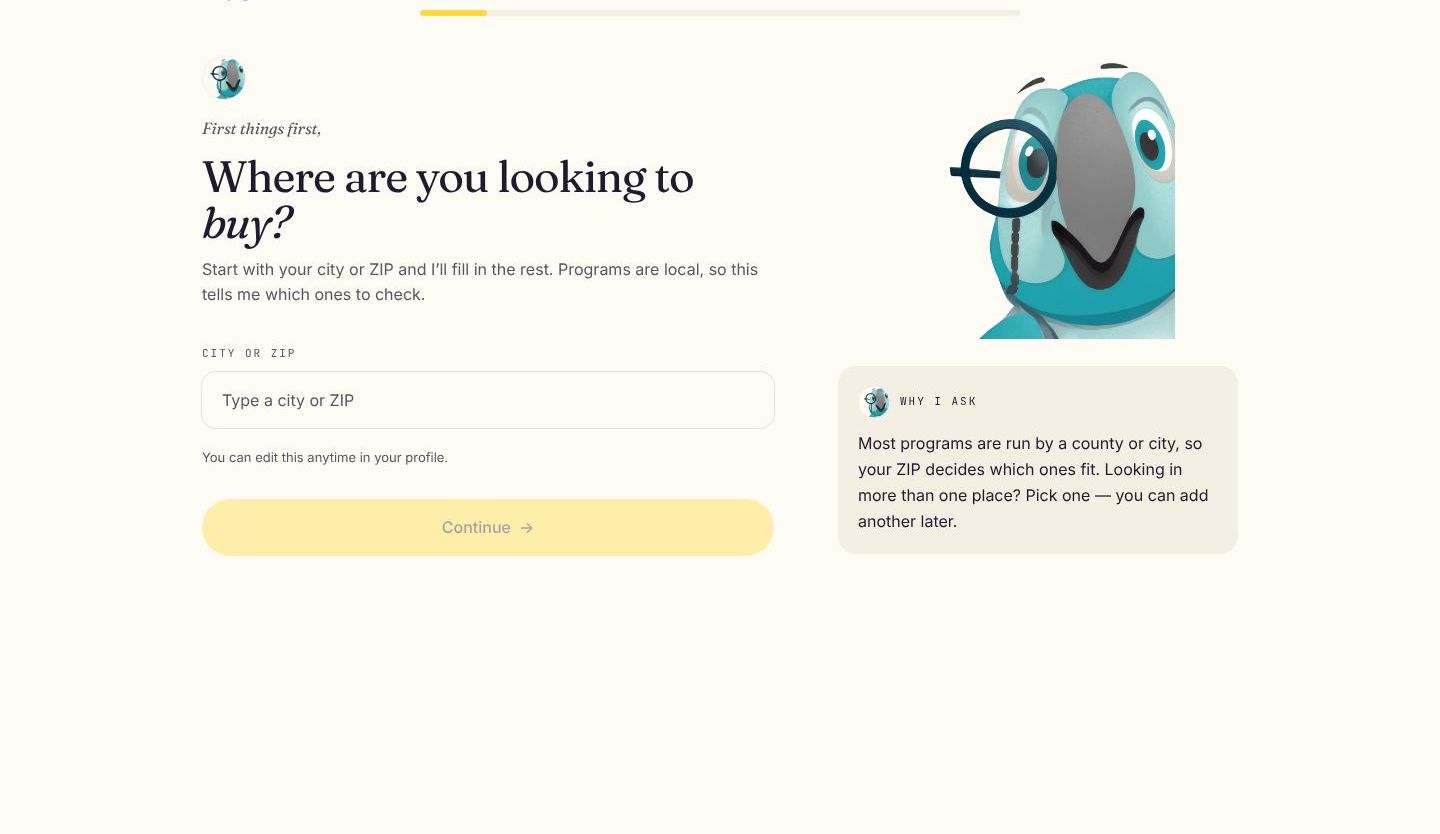
The page as it looks today.
A new Homebuyer plans list shows each of a pro's homebuyers and how far along their plan is. On each plan, the pro sees their own steps and the readiness bars.
Steps a housing counselor adds now appear on the same timeline, labeled with who added them.
Closing day is no longer the end of the plan. After you close, the plan switches to the first steps of owning your home.
Anniversary check-ins are included too.
Hey Prescott can now check in on your plan each week by email or push notification, and the plan's notices appear in your notification bell.
Choose how and when you hear from it in Plan reminders, or turn check-ins off.
Your plan can now be saved as a PDF to print or keep. You can also send it to the people helping you, such as your realtor, loan officer or housing counselor.
You choose who receives it each time.
When something changes, like a new job, a move or a new date, homebuyers can tell the plan and it adjusts the steps ahead.
If steps slip behind, the plan offers a new pace instead of leaving overdue items piling up.
Homebuyers buying with someone else can now invite them onto the same plan. The co-borrower gets their own view of the shared steps.
Either person can leave the plan, and the owner stays in control of what is shared.
Your plan now covers the whole road to your move-in month, not just 90 days. It opens on what to do this week, and Plan has its own place in the navigation.
Set goals and the plan works out the targets along the way. Readiness counts what you've actually done, and program steps name the programs they're for and link to them.
The plan template page has been rebuilt so a pro writes a template in the same phases a homebuyer's plan uses. Templates can be shared with the whole brokerage.
Every step is checked for compliance when it is applied to a homebuyer, and the plan's core educational steps always stay in.
A live demo now opens a private copy of the portal a prospect would use, for realtors, loan officers, brokerages, counseling agencies, government program offices, Learn teams and homebuyers.
Pro demos use real programs from the prospect's state and sample homebuyers at different stages. When the demo ends, everything in it is removed.
The Philadelphia Housing Fair page now asks a handful of questions inline, such as where you're looking, your household and your income, and counts the local programs that fit those answers.
Visitors can get their list by email, and their answers carry into the account they create. Pros at the fair have their own station on the same page.
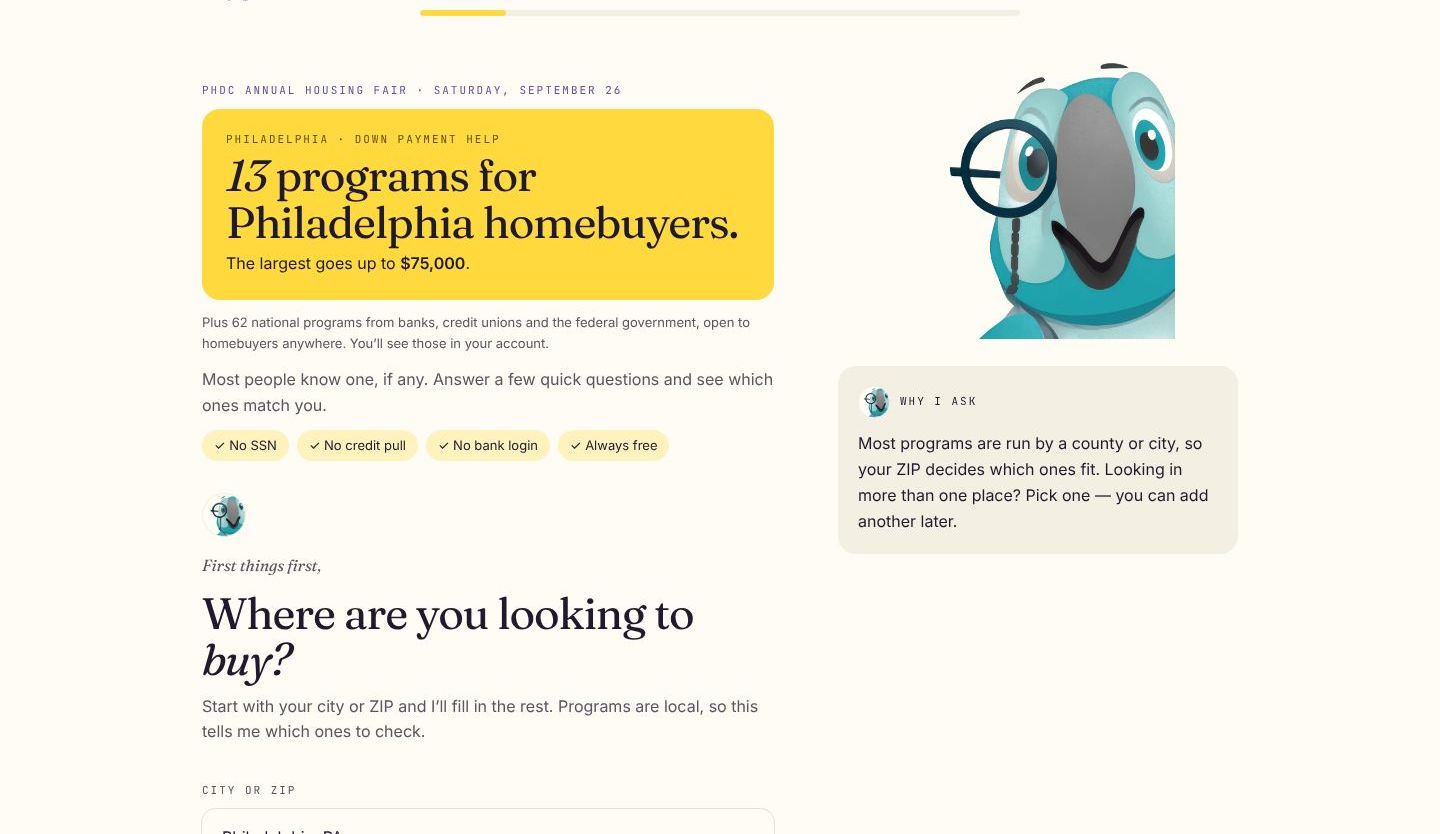
The page as it looks today.
Pros can now ask a homebuyer who runs their own Hey Prescott account to connect. The homebuyer sees exactly what the pro would be able to see and decides.
Nothing is shared until the homebuyer accepts.
When a homebuyer chooses a pro, the pro sees who they are after three short steps and agreeing to the introduction terms. The lead shows the promise to reach out, and the pro logs contact or declines.
A two-business-day clock runs on its own, and pros can manage how they take introductions from their settings.
Homebuyers can now ask for an introduction to a realtor or a loan officer, from their results, from Home or by asking Prescott in chat. Hey Prescott puts together a shortlist, and the homebuyer chooses who is allowed to contact them.
Each pro chosen is asked to reach out within two business days, and the homebuyer can say whether they were contacted or stop a pro at any time.
When you sign in with an email link, the "Check your email" screen now lets you resend the link after a short countdown, or go back and use a different address.
Every account type can now add a password too, for people who would rather not wait for an email.
The new /philly page helps people at the Philadelphia Housing Fair look up down payment assistance programs in the city. It works on a phone and on the booth tablet, which resets for the next visitor.
The page's link opens the Hey Prescott app for people who already have it.
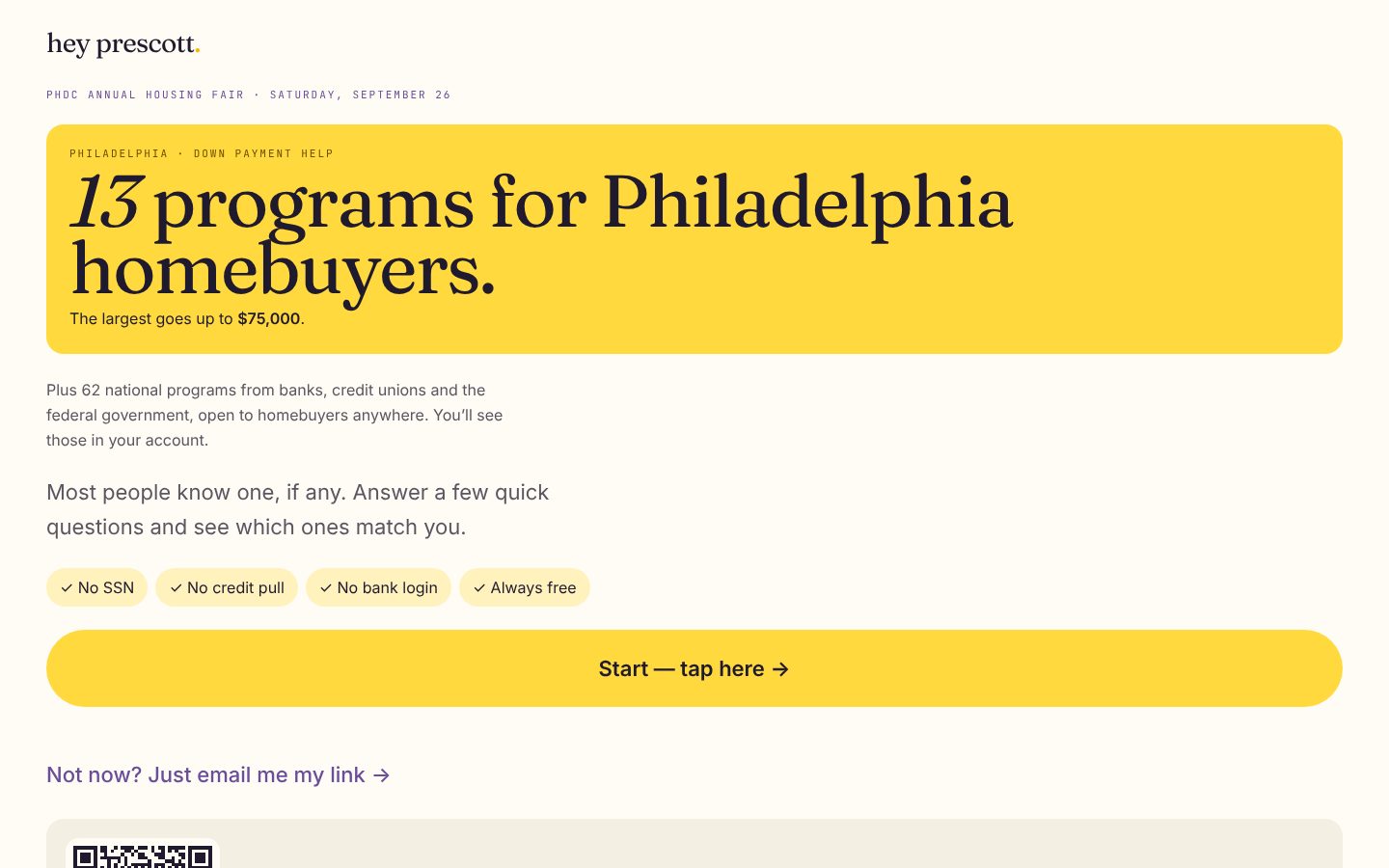
The booth tablet view, as it looks today.
Program pages now show which lenders a program works with and which education providers' certificates it accepts, as published by the program office.
The lists are shown in a fresh random order on every visit, so no lender is placed ahead of another.
A program's page in the pro app now has a "Teach this program" panel with a link to its homebuyer course and carousel downloads for social media.
Carousels are built from the program's record and checked before they are offered. If the program's details change, the old carousel is withdrawn instead of left to go out of date.
Courses now have a natural-sounding voiceover in English and Spanish. The reader speaks the module title and Prescott's note too.
A recording only plays when it matches the words on the screen. If a course has changed since it was recorded, your device's own voice reads it instead.
Type a ZIP code or a state on the DPA directory page and it shows that state's program count as you type. Continue and the program questions open with your city, ZIP, county and state already filled in.
The city list is still there, just below the state grid.
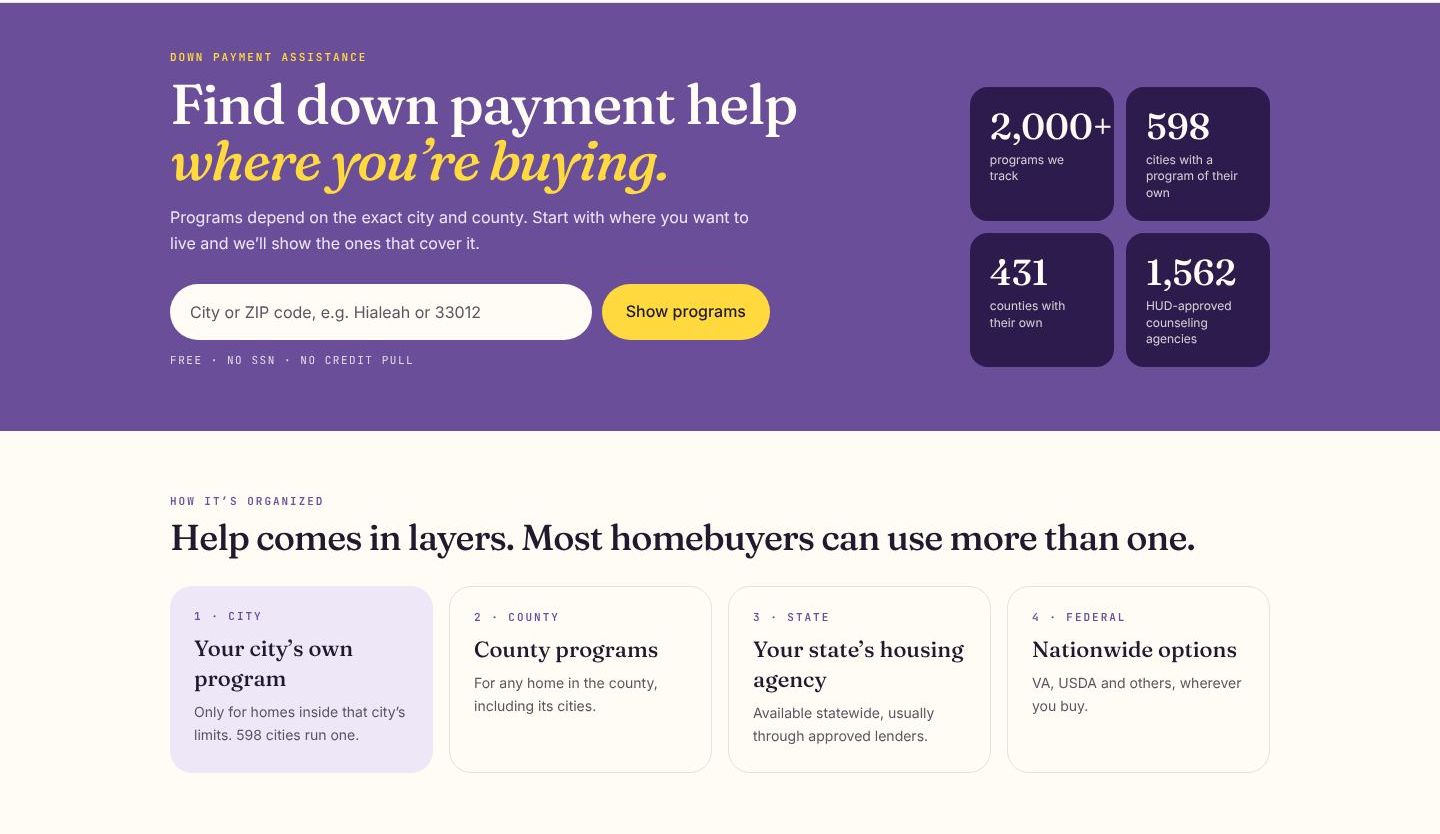
The page as it looks today.
The HUD counselor finder has a new "Use my location" button. Hey Prescott only asks when you tap it, and it uses a rounded location rather than your exact spot.
By default the finder still starts from the city where you plan to buy, since that is usually where you will want a counselor.
"Your answers" now lists every time you completed the program questions, newest first, with what changed each time. You can pick an earlier set and run matching again with it.
Reusing old answers adds a new entry instead of erasing anything, so switching back is always one tap away.
City pages in the DPA directory now show what is actually local to each place instead of repeating the state page. Each one carries the county's published median income from HUD.
The directory also has a clearer entrance, so states and cities are easier to reach from the main DPA page.

The page as it looks today.
A Learn manager can now set how much each roleplay skill counts and add custom criteria for their team. The compliance check keeps a minimum weight and cannot be switched off.
A gap report shows outcomes by scenario, and managers can require roleplay for a certificate. Managers see which check a rep missed, never the transcript itself.
The roleplay scorecard now scores each skill from evidence in the conversation, quoting the line it is based on. No credit is given for something that never came up.
Scenarios can carry objectives and a pass line, and a compliance check runs on every session so a fair-lending miss is never hidden by a high score elsewhere.
Inside a brokerage, a manager can now open a teammate's roleplay session, read the conversation and listen back to it. Coaching notes are always visible to the person they are about.
Every review is recorded, and a solo pro's sessions stay private to them.
Pros can now rehearse real conversations with a simulated homebuyer and get scored feedback when they finish. Realtors get their own library of scenarios.
Every pro account starts with a 30-day trial, and a public page explains how roleplay works.
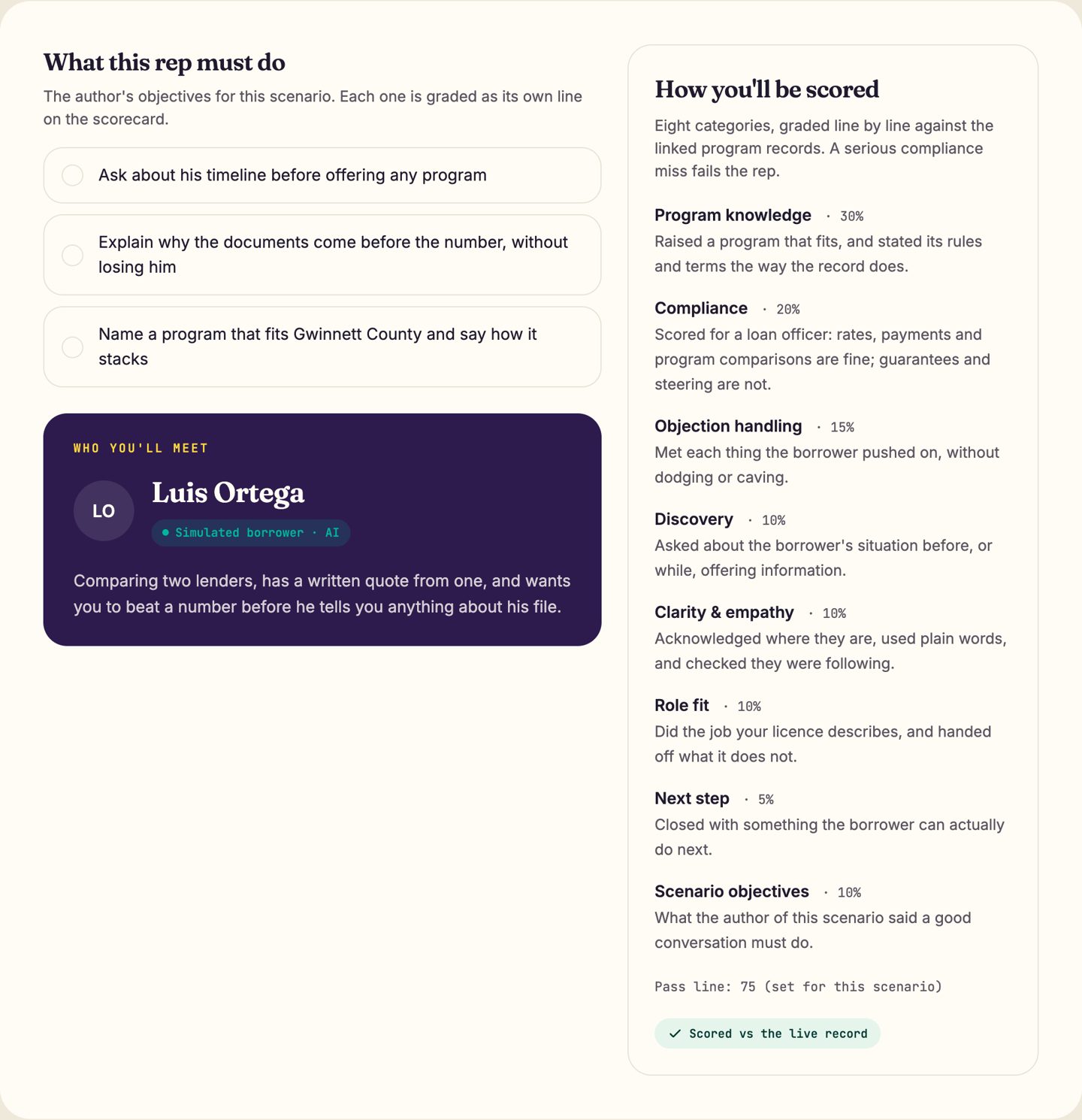
The roleplay brief, shown with sample data.
Each public program page is now split into sections that are easy to scan, instead of one long block of text. The plain-language explanation is written for homebuyers, and pros get their own version.
Fields that programs pack together in their records are now shown as separate, readable items.
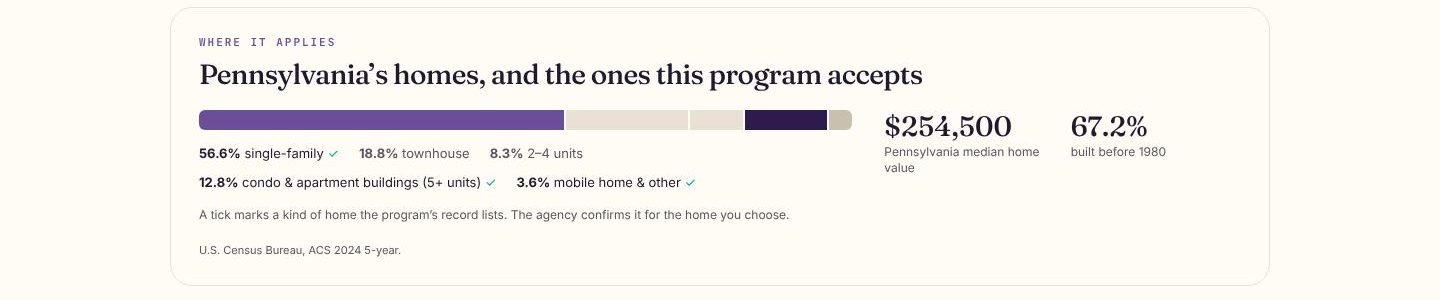
The page as it looks today.
You can now browse a state's assistance programs by the type of loan they work with, such as FHA or conventional. A separate page per state collects the income limits that programs publish.
Every limit shown is one a program printed itself. Your counselor or lender confirms what applies to you.
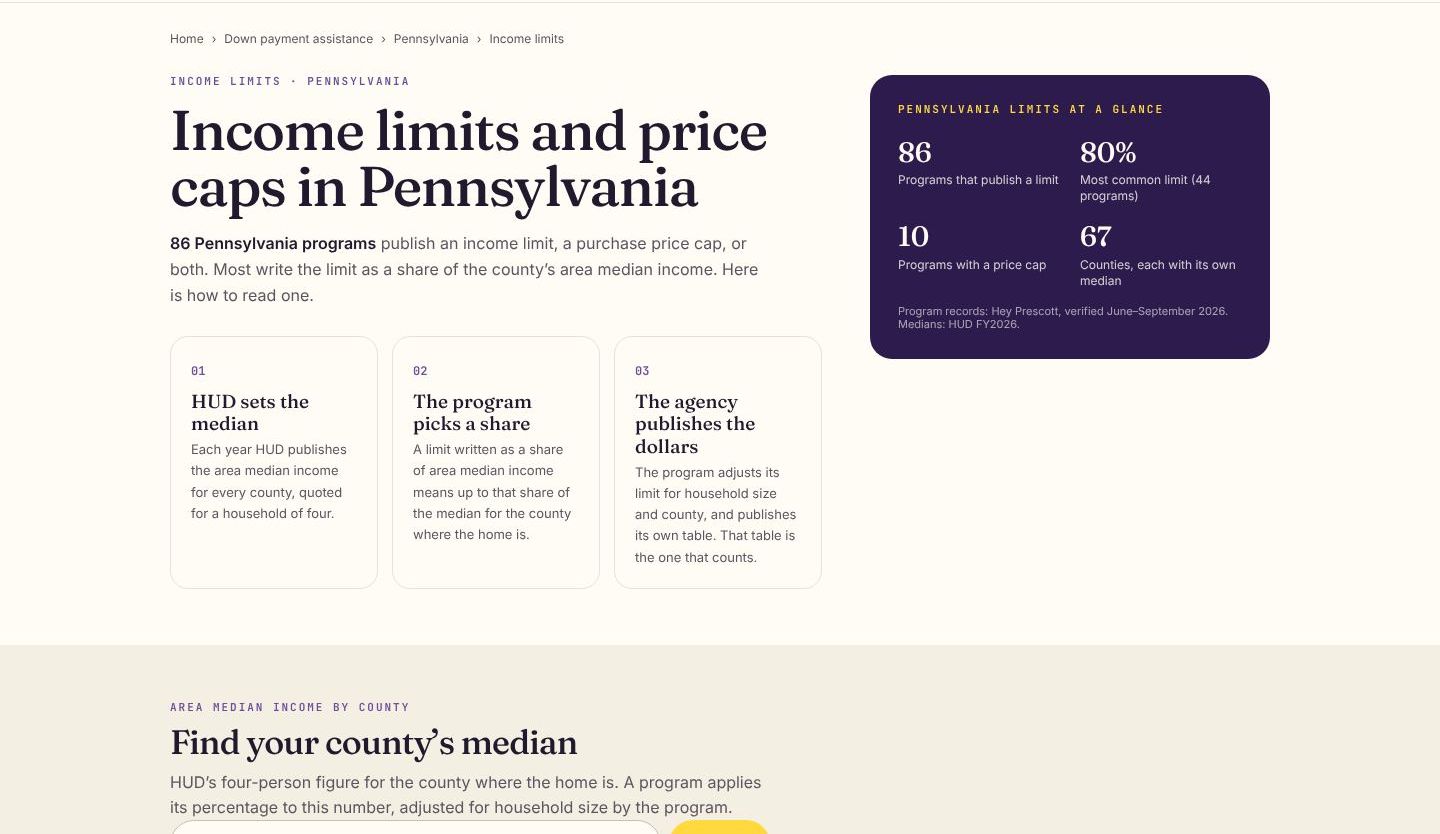
The page as it looks today.
The DPA directory now has answer pages for common questions about down payment assistance. Each answer is built from the programs in our catalog rather than general claims.
The answers link into the state, city and program pages they draw on, so a reader can go straight to the programs behind each answer.
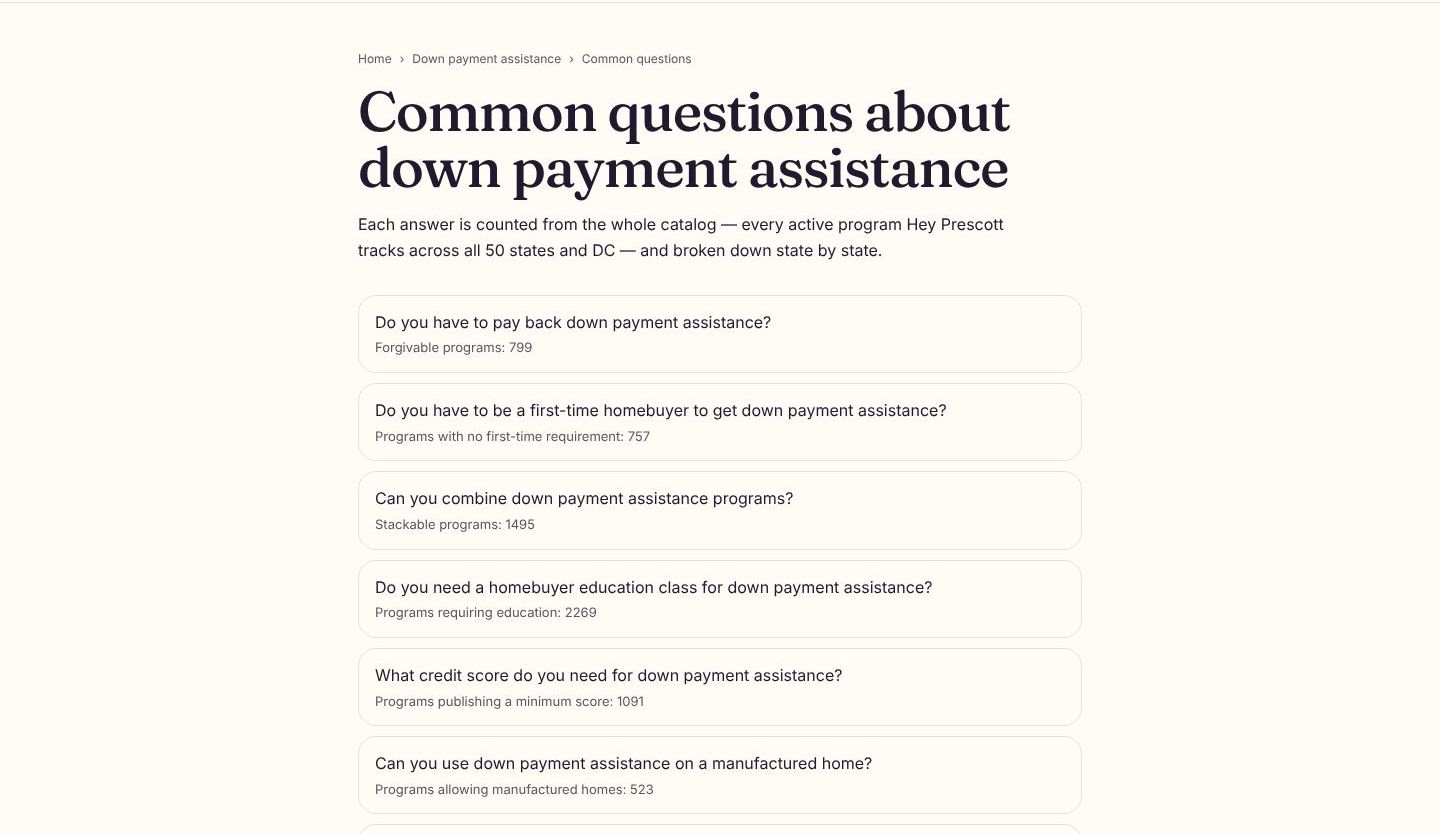
The page as it looks today.
Programs now come with short courses for homebuyers that walk through how the program works, in plain language. Every figure in a course comes from the program's published record, and each course is checked before anyone sees it.
Courses show tables straight from the program record, include a short note from Prescott, and lead on to the next module when you finish one.
Hey Prescott Learn is now a standalone product. A team that comes to Hey Prescott for training can sign up at its own front door and start a trial without entering a card.
Learn also works inside every Hey Prescott portal, so teams that already use the platform reach the same courses from where they work.
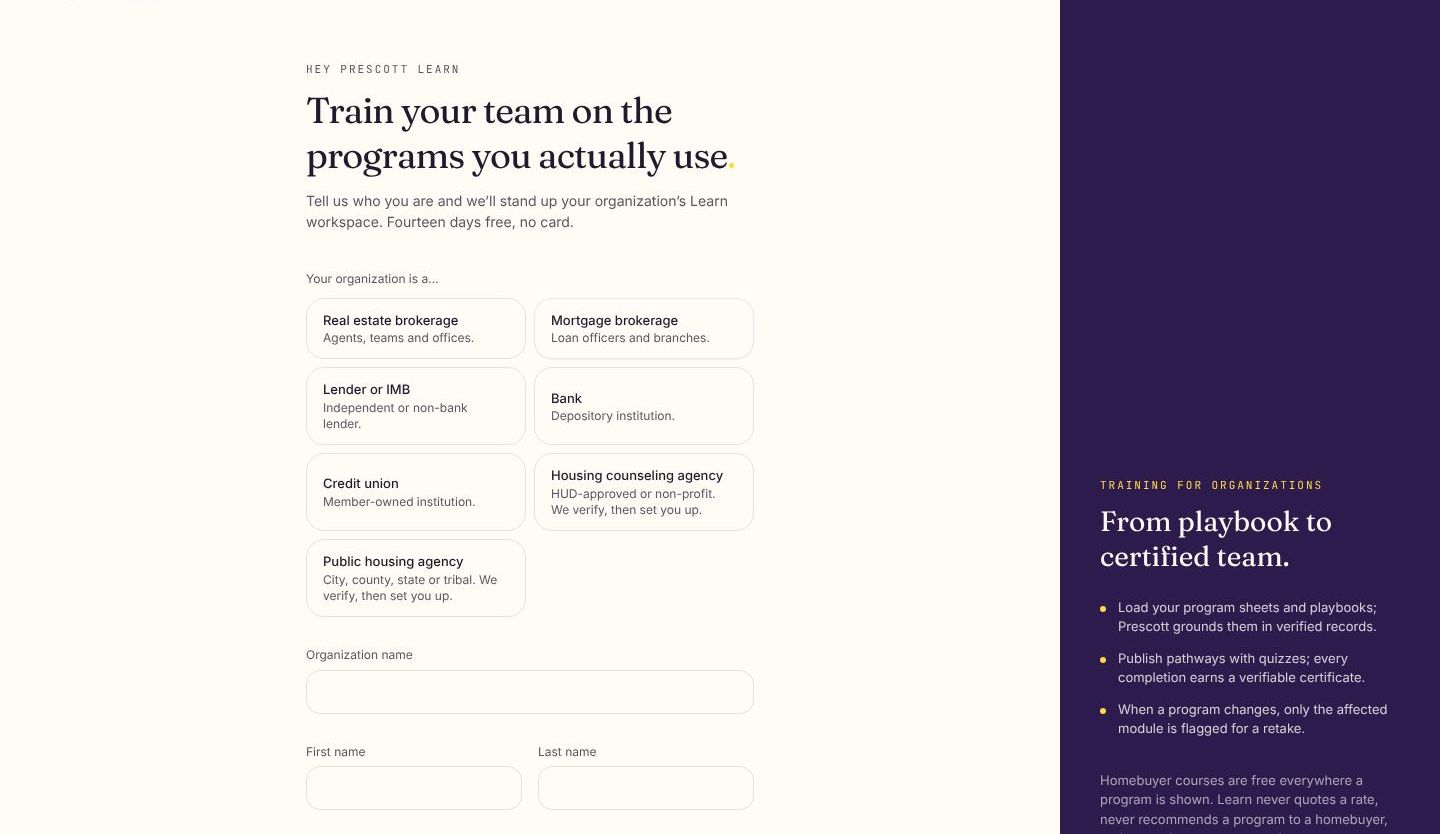
The page as it looks today.
A lender organization now lands on a setup checklist that shows what to do first, including choosing the assistance programs it works with. Loan officers get their own checklist for the details that decide whether homebuyers can find them.
A lender's public profile uses the same license check every pro goes through before it becomes visible. A new page explains what Hey Prescott offers lenders, banks and credit unions.
The plan asks for a few details at the moment each one matters, such as income type or gift funds, and adjusts its milestones to fit. If a homebuyer works with a pro, the pro's playbook appears inside the same plan, and a weekly check-in keeps it current. Every word Prescott adds is checked against our compliance rules first.
Opening Hey Prescott now shows a Day Sheet built from your leads, messages and calendar, capped so it stays short. A once-a-day brief from Prescott summarizes the same facts, and each lead page has a What's open panel listing the next steps.
Prescott does the typing from the facts the loan officer enters; the loan officer makes every judgement and signs. Edits are checked again before the letter is finished, and every completed letter is kept in a register.
Once a claim is confirmed, the office edits its program's details and publishes them on its own authority, and the change reaches every page that shows the program. Programs can now be targeted down to individual ZIP codes, and matching honors them.
Offices can upload a PDF or Word document, point to a page on their website, or paste text, and review the program details pulled from it before publishing. Scanned PDFs are transcribed and labeled as such. Teams join by email invitation, and each person can choose which emails they receive.
Homebuyers, pros and search engines can open a single program's page and see its published details in one place, and share the link. A new glossary explains the terms programs use.
Agencies get a page at /agency/ and counselors at /c/, built with the same editor pros use for their profiles, with a live preview and a choice of who can see it. Each page can show services, languages, classes and a way to book time.
Whatever your role, signing in now takes you to the right home, and links that send you somewhere specific keep working after sign-in. Lender organizations and underwriting shops can create their account themselves, and colleagues can ask to join an existing one.
Connect with your own Follow Up Boss key from settings. New Hey Prescott leads are pushed into Follow Up Boss, and when you change a lead's stage there, Hey Prescott updates too. A new Nurture status marks leads you are keeping warm.
Homebuyers who use the wizard in another language now get their plan in that language too. Plans start from a few common situations, finished education certificates clear the education step, and an I'm stuck button lets the homebuyer flag a step for their pro.
If no program fits right now, the results page offers to save the answers to an account, so the nightly check can tell the homebuyer when something new appears.
Connected contacts in Follow Up Boss now show details such as the homebuyer's saved programs and plan stage, kept in step as they change. You can set Nurture from Hey Prescott, and each lead shows a trail of what was sent to Follow Up Boss.
Homebuyers, pros and search engines can open a single program's page and see its published details in one place, and share the link. A new glossary explains the terms programs use.
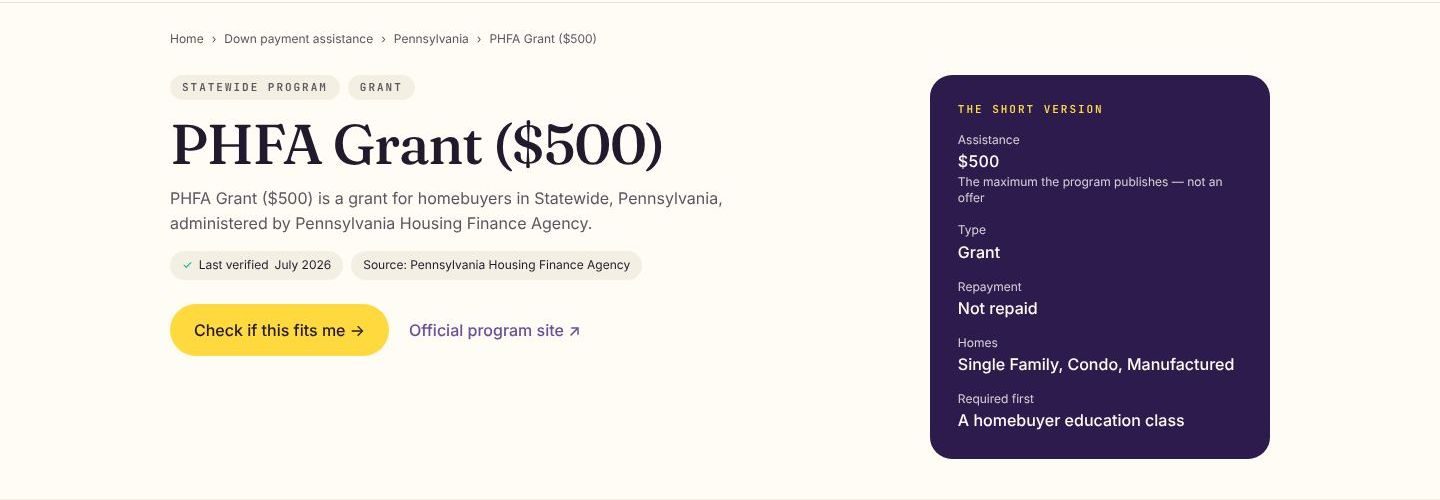
The page as it looks today.
Offices can upload a PDF or Word document, point to a page on their website, or paste text, and review the program details pulled from it before publishing. Scanned PDFs are transcribed and labeled as such. Teams join by email invitation, and each person can choose which emails they receive.
Offices that claim a program can see when to expect an answer. Our team is alerted before a claim gets close to the deadline.
Once a claim is confirmed, the office edits its program's details and publishes them on its own authority, and the change reaches every page that shows the program. Programs can now be targeted down to individual ZIP codes, and matching honors them.
Connect with your own Follow Up Boss key from settings. New Hey Prescott leads are pushed into Follow Up Boss, and when you change a lead's stage there, Hey Prescott updates too. A new Nurture status marks leads you are keeping warm.
Prescott does the typing from the facts the loan officer enters; the loan officer makes every judgement and signs. Edits are checked again before the letter is finished, and every completed letter is kept in a register.
The plan builder explains each choice, lets a pro assemble milestones from blocks and preview the result. Homebuyers get a week view of their plan and can set goals of their own that no one else can change. A pro's contact card stays current across every live plan.
If no program fits right now, the results page offers to save the answers to an account, so the nightly check can tell the homebuyer when something new appears.
The plans page now lists each homebuyer with their stage, milestones done and any open I'm stuck flags. A template marked as your default is applied as a draft to every new lead, and the plan follows the lead if it moves to another pro.
Homebuyers who use the wizard in another language now get their plan in that language too. Plans start from a few common situations, finished education certificates clear the education step, and an I'm stuck button lets the homebuyer flag a step for their pro.
The plan asks for a few details at the moment each one matters, such as income type or gift funds, and adjusts its milestones to fit. If a homebuyer works with a pro, the pro's playbook appears inside the same plan, and a weekly check-in keeps it current. Every word Prescott adds is checked against our compliance rules first.
Managers get a notice and an email when a colleague asks to join, with a link to review the request.
Whatever your role, signing in now takes you to the right home, and links that send you somewhere specific keep working after sign-in. Lender organizations and underwriting shops can create their account themselves, and colleagues can ask to join an existing one.
The page as it looks today.
The person signing can read the agreement and sign from a link in their email, without creating an account first. Agreements can name several signers, and the executed copy arrives as a branded PDF.
A new My classes screen shows registered classes with attendance, upcoming sessions and one-on-ones in date order, and any certificates earned. My documents & forms lists uploads, forms that need a signature and forms already signed.
Agencies can list a class publicly or keep it unlisted for referred families. A homebuyer who follows the link registers and gets their seat in a single step, or joins the waitlist if the class is full. Meeting links are never shown on public pages.
Agencies get a page at /agency/ and counselors at /c/, built with the same editor pros use for their profiles, with a live preview and a choice of who can see it. Each page can show services, languages, classes and a way to book time.
The Day Sheet now rotates its suggestions, surfaces team exceptions for managers, and adds a row when a homebuyer asks to talk about programs they saved. Pros learn what became possible for a lead, never a log of every click.
Add or remove agencies from a saved list without rebuilding it from the directory. When you share a list, the homebuyer gets a notice so it does not sit unseen in their account.
The banner appears once per release and steps aside when something more urgent, like an unfinished setup step, needs your attention first. You can dismiss it or open the release notes.
Every draft lands in a field you edit and send yourself, and nothing is sent on your behalf. Each draft is checked against our compliance rules before you see it. A weekly digest of your activity arrives by email.
When the nightly check finds a new program for one of your homebuyers, or a change to one they saved, it shows up on your Day Sheet so you can follow up while it is fresh.
Opening Hey Prescott now shows a Day Sheet built from your leads, messages and calendar, capped so it stays short. A once-a-day brief from Prescott summarizes the same facts, and each lead page has a What's open panel listing the next steps.
A saved list can be reused for every new client, sent to several homebuyers in one step, and downloaded as a PDF with your branding for open houses or meetings. Lists keep a neutral order and carry the same disclaimer on every surface, including the PDF.
Run the down payment assistance wizard in English, Spanish, Vietnamese, Chinese, Korean, or Tagalog. The language picker now greets you on the intro and stays with you on every step through your results.
Results now weigh everything a program actually publishes: purchase-price caps, household size, city and county limits, and expiration dates. And when something still needs confirming, your results say “may qualify — confirm this” instead of guessing.
When you’re one confirmable fact away from a program, your results now show the thing to check instead of hiding the program.
Programs change all the time. A nightly re-check keeps your saved matches current and drops a note in your inbox when a program you’re watching changes.
Search the counselor finder by ZIP, state, or county, set your own radius, and see exactly what area your results cover. On the web and in the mobile app.
Working with a counseling agency? A new home brings your sessions, bookings, uploads, and privacy choices together.
Leave a structured review for your pro — step by step, one question at a time — plus private feedback only they can see. On web and mobile.
Search the same HUD roster your buyers see, save reusable lists, send fact cards to up to 50 buyers at once, or export a co-branded, printable handout.
Star any program right in the directory, or select several and save them all in one action.
HUD counseling agencies get client files, e-signatures, classes and certificates with public verification, and intake forms in six languages.
For pros: progress now reflects what you’ve actually done, and the first steps are the ones that help a real buyer.
The “things to keep in mind” now appear right on the card, and an amount only shows when a program actually publishes one.
A wizard link from your pro now signs you in, connects your results to them automatically, and lasts a full day.
Lender organizations can now invite their own loan officers, underwriters, and processors — no support ticket needed.
Typing a ZIP or state into the counselor finder now actually searches, and a statewide search returns the whole state instead of a circle around its middle.
The wizard-complete email could understate how many programs matched; it now reports the same total you see in the app.
The marketing-site menu could collapse behind the page and hide sign-in; it’s reachable everywhere now.
Realtors and loan officers now have their own HUD counselor search. They can share agencies with a homebuyer, who sees them in their account with a neutral fact block and the standard disclaimer. Homebuyer search by ZIP, state and county was also fixed.
A pilot agreement is now a click-through in four chapters with one signature at the end. The pilot term starts when we countersign, team seats get access as soon as the pilot begins, and near the end the organization chooses how to continue on a single screen.
Each step on the checklist is checked off from what is actually in your account, such as a finished profile or a first lead, and the order starts with the steps that pay off soonest. If a subscription lapses, the dashboard stays readable behind a banner instead of being locked behind a full-screen wall.
Lender organizations can now add underwriters and processors themselves, and each invitee lands in the right workspace when they accept.
The program directory now has checkboxes, so a pro can pick several programs and save them together without opening each one.
Only the overall rating is required, and every other step can be skipped. Homebuyers choose what goes in the public review and what stays private feedback for the pro, and can give stars to the pro's brokerage too.
A program that serves several counties now appears on each county's page and in each county filter, and county counts include it. Nationwide programs are labeled as such.
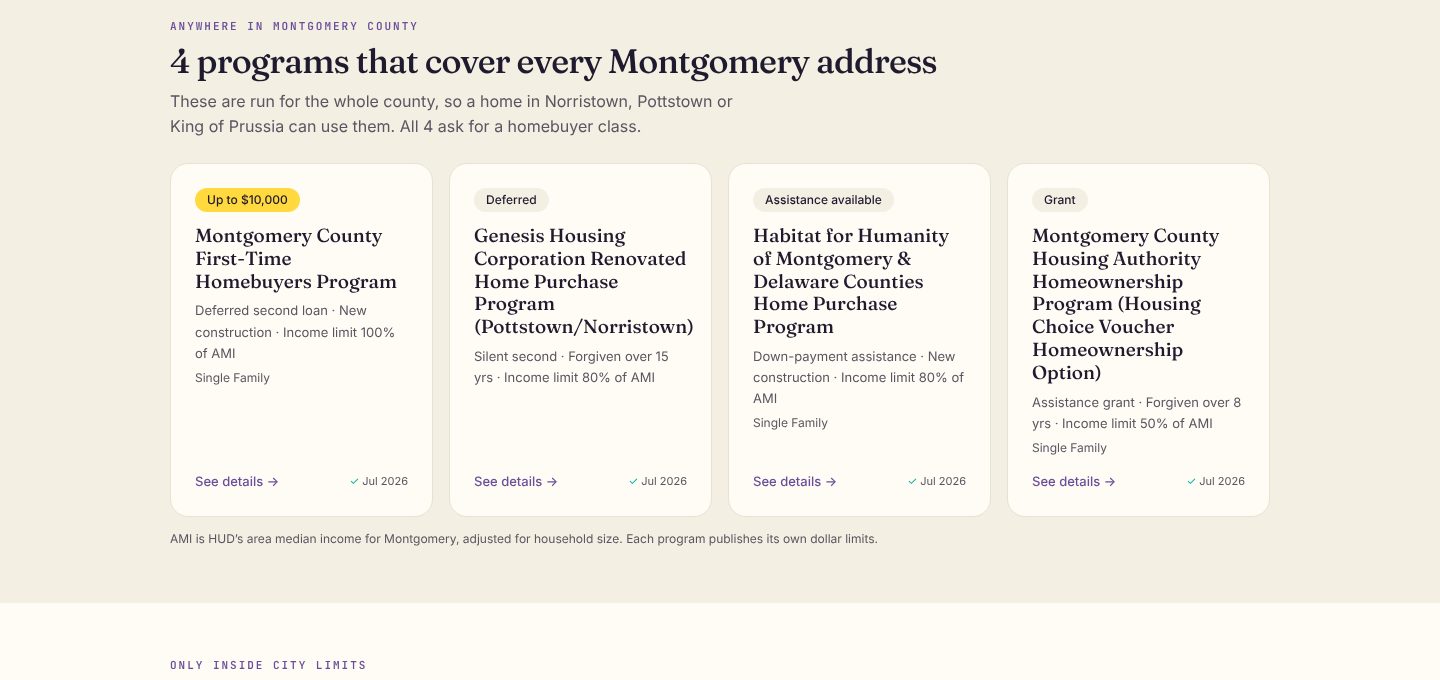
The page as it looks today.
Counselors and the homebuyer app now share one matching engine. Each night, programs that line up with a client's intake are saved to a review queue for the counselor, and a client who already finished the wizard starts their intake with those answers filled in.
Instead of starting over, a homebuyer can change just the answer that moved, such as a price range or ZIP code, and the matches update. A short confirm-your-facts step checks the details that matter most before results are shown.
Homebuyers can switch the wizard into any of six languages and see the questions, the processing screen and the results in that language. The language switcher is easier to find, too.
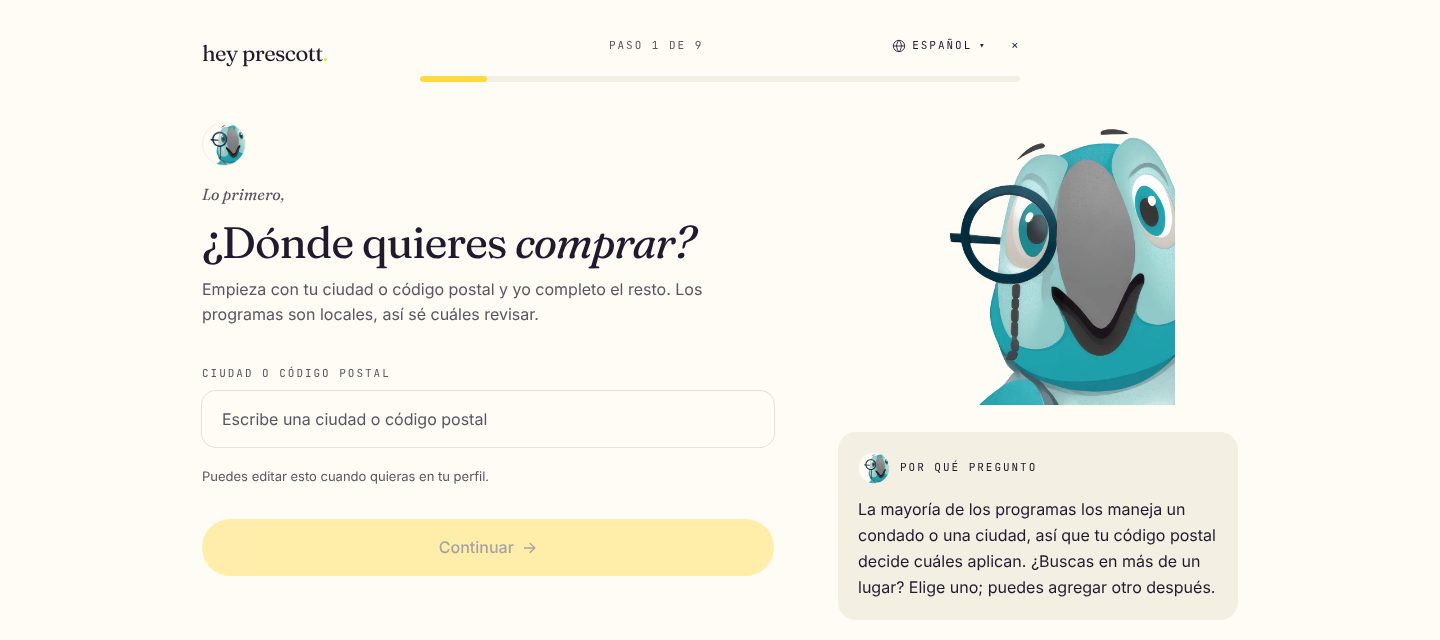
The wizard in Spanish, as it looks today.
A nightly check runs each homebuyer's answers against the latest catalog. When a new program fits, they get a digest, and when a program they saved changes, they hear about it. Saved programs also show when their details were last updated.
When a program is close, the results now say which rule is in the way, such as a purchase price or household size, so a homebuyer knows what to ask about. Results also show factual labels for who a program serves and an honest range for the assistance amount.
Matching now reads every fact in a program's record instead of a handful, and programs whose income limit is a share of the area median are checked against the homebuyer's household size. When a fact is unknown or a homebuyer's answer straddles a limit, the program stays on the list with a note to confirm it rather than disappearing.
Homebuyers can now read and fill in the counseling intake in their own language, with the same sections and consents as the English form. The answers reach the agency in a consistent format, whatever language they were given in.
Homebuyers fill in their counseling intake one section at a time, with a progress stepper so they always know how much is left. Required authorizations sit right where they apply, and the form ends with a typed or drawn signature. Agencies can share one reusable link to the form.
A client invited by link lands on the agency's page and starts their case file even before they accept. Agencies can now list the courses they teach, separate from any single class date, and issue certificates against them.
The first time you open a dashboard, Prescott can walk you through what each part does, one step at a time. You can skip a tour or replay it later from help.
The intake form builder starts from the questions HUD reporting needs and lets an agency add its own sections and fields around them. Agencies can preview forms before publishing and share them with clients by link.
A worksheet in the client file keeps the figures a counselor gathers during a session. Beside it, counselors can see which assistance programs the client's facts line up with and which facts are still missing, so the next conversation starts from what is known. Program rules are shown as facts to confirm with the program, not a decision.
Counselors can add signature fields to a document and route it to a client, who signs by typing, drawing or uploading a signature. Homebuyers get a consent and release center that shows what they have agreed to share and with whom.
The HUD-9902 report is assembled from the sessions and outcomes an agency already records, with checks that flag what still needs attention before it is filed. Agencies can prepare their ARM submissions in the same place and send clients a short satisfaction survey afterwards.
Each client now has a file with their intake, sessions and documents, and each counselor has a caseload view. Access to a client file is limited to the assigned counselor and the agency lead, and every look is logged. Counselors can also track leads coming in before they become clients.
Realtors and loan officers can set up a wizard with their own branding, preview it, and paste a short snippet into their website. Homebuyers who finish it can create an account connected to that pro. Dark mode is supported.
Homebuyers can now search HUD-listed counseling agencies by name and narrow the list to agencies that offer services in their language. Results are listed in a neutral order, never ranked.
When a homebuyer finishes a class, the agency can issue a certificate the homebuyer downloads as a PDF. Anyone who needs to see it, such as a lender or a program office, can confirm it is genuine by entering the certificate number at heyprescott.com/verify.
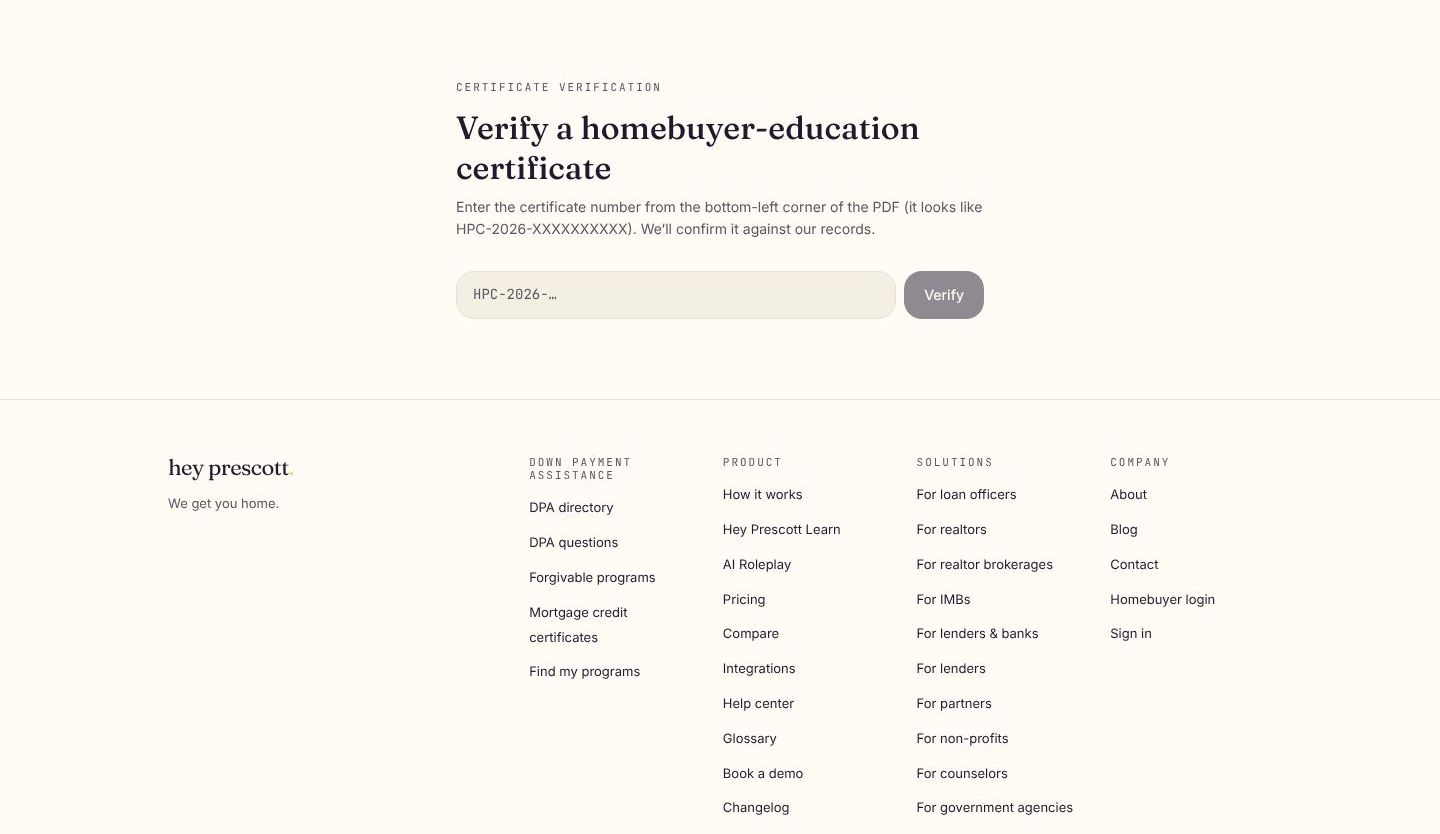
The page as it looks today.
Once a homebuyer and a counselor are connected, they can keep their conversation in one thread, with file attachments. Homebuyers can book a one-on-one session from the counselor's open times, and counselors can sync those bookings to their own calendar.
Agencies publish their homebuyer education classes, and homebuyers can sign up from their account. When a class is full, a waitlist moves people in as seats open, and a reminder goes out 24 hours before each class. Agencies that charge for a class can take payment online and receive payouts directly.
Agencies claim their listing and, once our team confirms it, manage their counselors, clients and classes in one place. Counselors can invite clients, see each client's progress and draft a 30-, 60- and 90-day action plan with Prescott's help. Every plan stays in the counselor's hands before a client sees it.
A public, searchable directory of down-payment assistance — city, county, statewide, and federal — that you can explore for your area without an account.
Open any program and create a free account to unlock the full eligibility details and save it to your plan.
Pros and partners can embed the DPA directory as a lightweight widget — light or dark — so visitors can explore programs right from their own page.
Program pages are now search-engine friendly, so homebuyers can discover assistance for their city straight from a web search.
When a program you’re watching changes — a new opening, a raised income limit, a deadline — Prescott drops a note in your new Announcements inbox.
The update that matters most now greets you the moment you arrive.
This page — every improvement we ship, grouped by release, so you can always see what changed.
A clear unread count now rides along on the inbox across web and mobile, so nothing slips past.
A redesigned public site with a clear way for homebuyers and pros to sign in.
Open a support request with a subject, category, and attachments, and follow the conversation right here.
Short, replayable walkthroughs explain each part of the app as you explore it.
Build a shareable profile with a live preview as you edit — the link homebuyers can trust.
Showcase your whole team in one link, ready to send to clients.
Earn badges that show the assistance programs you know best.
Find trusted, HUD-approved housing counselors near you in just a few taps.
Add the agencies and homebuyer-education classes you like straight to your plan.
Map results now load faster, even on slower connections.
Plain-language explainers that make the homebuying process make sense.
Earn progress and little wins as you learn your way toward a home.
Prescott’s daily nudges now personalize to where you are in the journey.
A faster welcome — sign in with a password or a magic email link.
The eligibility wizard now leads with your address and fills in your city, ZIP, and county as you type.
Resolved a rare case where saved programs didn’t sync across your devices.
Answer a few quick questions and Prescott matches you against thousands of down-payment assistance programs to show what you may qualify for.
Keep the programs that fit in one place and track your next steps as you go.
Your educational guide to down-payment assistance — in your corner from day one.
You’re all caught up
We ship improvements every few weeks. Subscribe and Prescott will let you know.